Custom Forms | Child Library
Overview
The system includes a custom form type called Child Library, accessible through the Custom Form Configuration screen. This form type allows users to create forms that capture multiple entries of the same data — ideal for frequent detailed historical record-keeping, i.e. the outcome of yearly employee health and safety medical examinations.
The Child Library form works as a sub-form (a form within a form) and can be added to two parent form types: History Grid or Company Repository. To link the child form to a parent form, users can use the Custom Form Field Type: Child Library Reference.
Edition

This feature is available on the Master payroll edition
Configuring the the Child Library feature - An example
For industries requiring regular medical checkups, a Parent custom form might store an employee’s general medical fitness details. The Child Library form would then track each individual medical exam result as a separate, time-stamped entry — supporting accurate, ongoing record management.
Using the example above, expand and follow these steps to guide you through using the Child Library feature.
Step 1: Create the Parent Custom Form
Create a History Grid or Company Repository (Main) custom form, with its own custom fields configured
Navigate > Config > Basic Settings > Custom Screens & Fields > Custom Form Configuration > Categories
Navigate > Config > Basic Settings > Custom Screens & Fields > Custom Form Configuration > Groups
Navigate > Config > Basic Settings > Custom Screens & Fields > Custom Form Configuration > Fields
Step 2: Create the Child Custom Form
Create a Child Library (sub-form) custom form with its own set of custom fields.
Navigate > Config > Basic Settings > Custom Screens & Fields > Custom Form Configuration > Categories
Navigate > Config > Basic Settings > Custom Screens & Fields > Custom Form Configuration > Groups
Navigate > Config > Basic Settings > Custom Screens & Fields > Custom Form Configuration > Fields
Step 3: Link the Child Form to the Parent form using Custom Form Field Type - Child Library Reference
The child form can be linked to the parent form using the Custom Form Field Type: Child Library Reference, allowing the standard stand-alone fields and the multiple records to be viewed in unity on the same form.
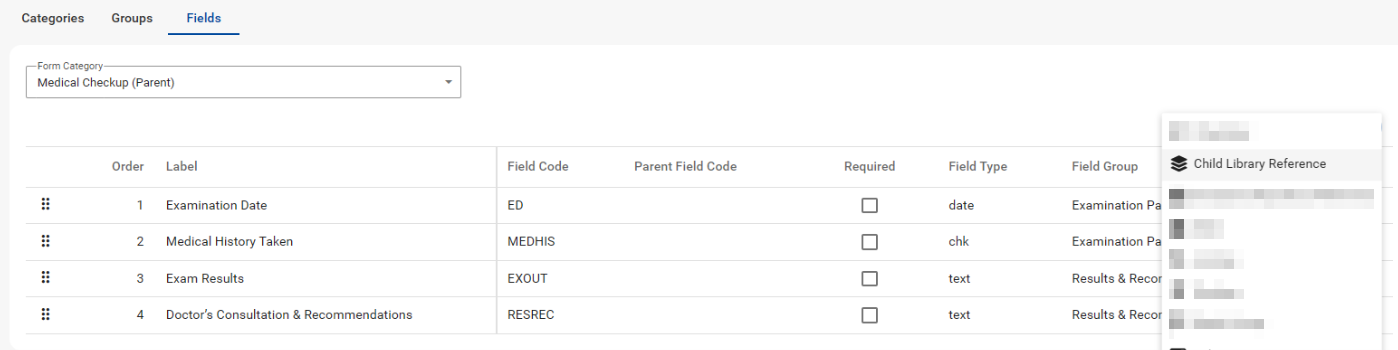
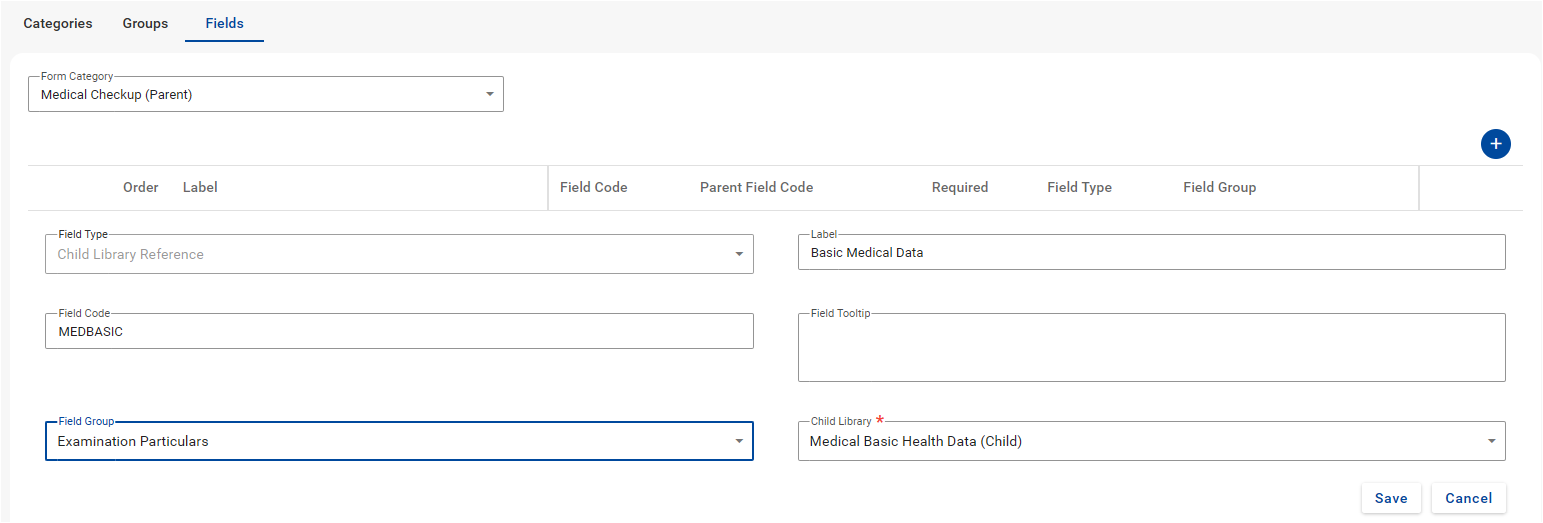
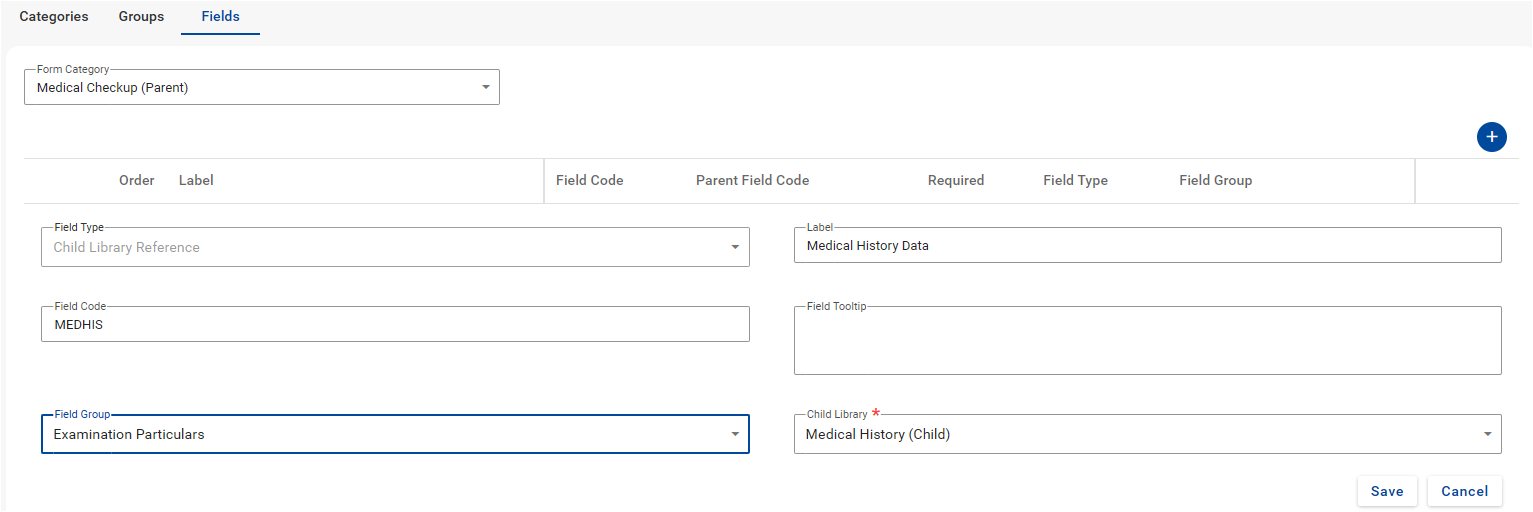
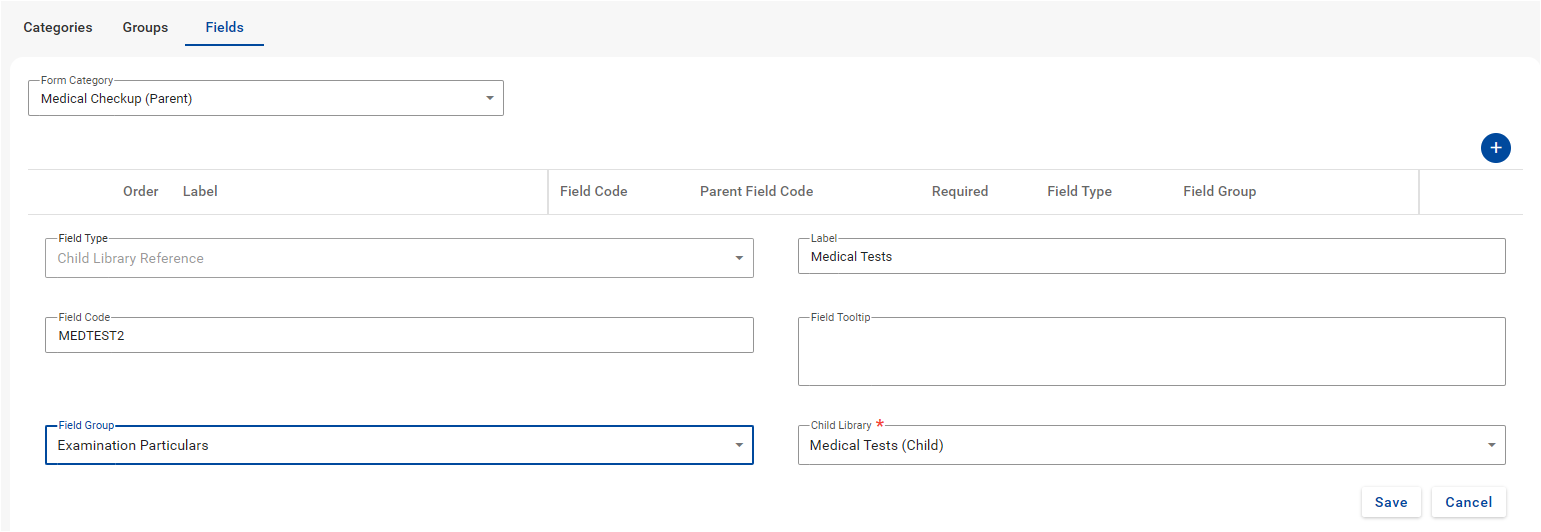
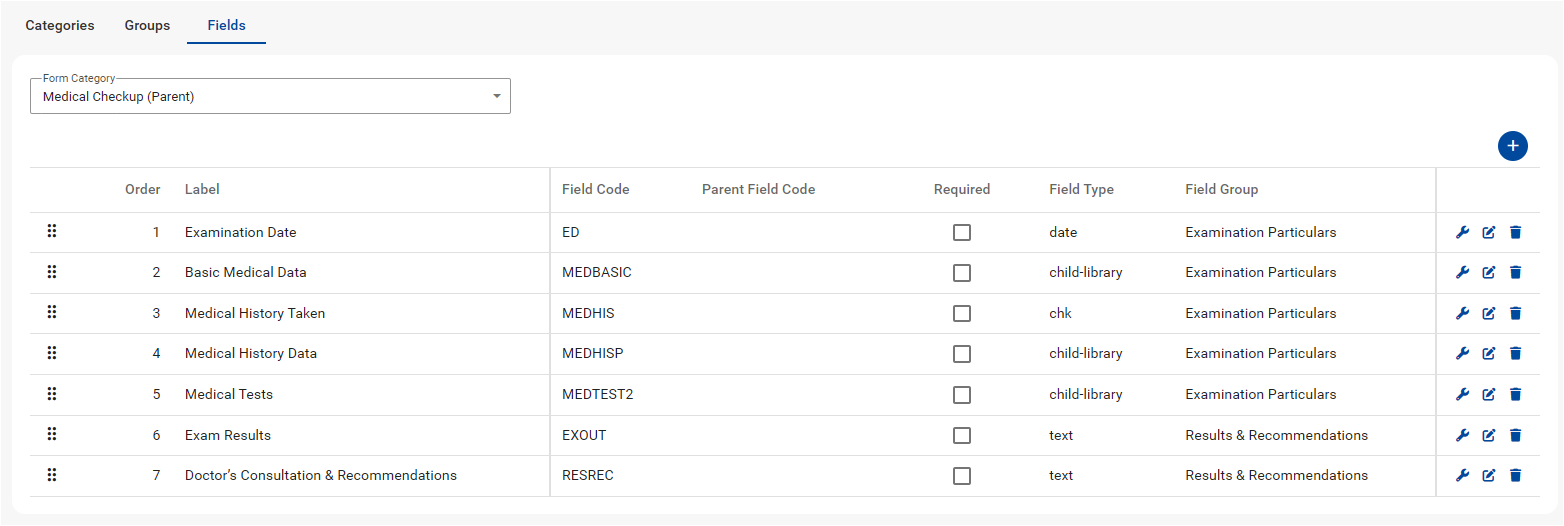
Navigate > Config > Basic Settings > Custom Screens & Fields > Custom Form Configuration > Fields > +
Step 4: View the Child Library form within the Parent form on the screen it was configured
The Child Library form (sub-form) will be embedded in the Parent form and upon adding/editing records, displayed in a slide-out screen with its configured custom fields.
Navigate > Employee > Basic Information > Basic Profile > Medical Checkup (Parent) (optional) > +
Example of history stored for an employee's Medical Checkups
Related Article

Related Articles
Custom Forms | Completing employees' Custom Forms with Child Libraries via the Bulk Actions screen
Overview The system includes a custom form type called Child Library, accessible through the Custom Form Configuration screen. This form type allows users to create forms that capture multiple entries of the same data — ideal for detailed historical ...Basic Settings | Custom Form Configuration and Custom Fields Setup
Overview Custom Screens and Fields allows you to create customised forms on company and employee level; and add additional custom fields on various existing screens on PaySpace. These customised forms and fields can be used to record extra ...Custom Forms | Company Repository
This feature is available on the Master payroll edition The system has been enhanced with a new custom form type named Company Repository. It is available on the Custom Form Configuration screen. This custom form type enables users to compile a list ...Can a custom form be added to other screens beside the Custom Forms screen?
This feature is available on the Master payroll edition. Yes. Instead of saving all custom forms to the Custom Forms screen under the Basic Information section on the employee's profile, custom forms can now be appended to an existing employee ...Can I create custom forms without having to specify an effective date?
This feature is available on the Master payroll edition. Yes. Previously, any custom form created was of a "History Grid" type form. This means that all forms captured need to have an effective date that is unique, and is used to store information ...