How do the Previous and Next Employee arrows work?

This feature is available on all PaySpace editions
The PaySpace user experience has been enhanced with a feature that allow users to navigate through employees using a previous and next button (arrow).
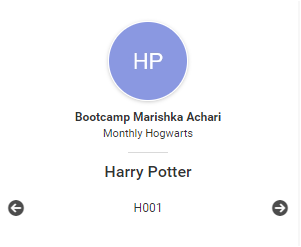
Once an employee record is selected, the Previous and Next buttons will be available on the Location menu.
Navigate > Employee

Note!
Employee Sorting: When using the navigation buttons, employees will be sorted by employee number and will only navigate through employees that the logged-in user has access to.
Terminated Employees: The navigation arrows will include terminated employees only if the employee has a payslip for the current run.
Related Articles
How do the Previous and Next Employee arrows work?
Once an employee record is selected, the Previous and Next buttons will be available on the Location menu. Navigate > Employee Note! Employee Sorting: When using the navigation buttons, employees will be sorted by employee number and will only ...Fixed Menu and Side Menu
Fixed Menu: This is present at the top of the application, i.e., when you log into your Payspace system, some menus with a variety of options and functions will be displayed by default at the top of your system. Left side menu: Based on the ...How do I use the Company Search feature?
This feature is available on all PaySpace editions The Company Search feature is used to navigate companies within a group that a company level user has been granted access to. There are two navigation paths to access the Company Search screen. ...Basic Navigation | Expanded Search Function
PaySpace has launched a new game-changing search facility, where users no longer need to familiarise themselves with the menu structure as they can simply search for specific items – fast ans simple. The list of benefits includes: New users to the ...Canada | General | The Landing Page
Overview The Landing Page displays once you have accessed a company. The Landing Page consists of a Title Bar, Top Menu, Location Menu, Left Menu and the Company Dashboard. Edition This feature is available on all PaySpace editions. The Title Bar The ...