How do I access an employee's Transfer History screen?

This feature is available on all PaySpace editions
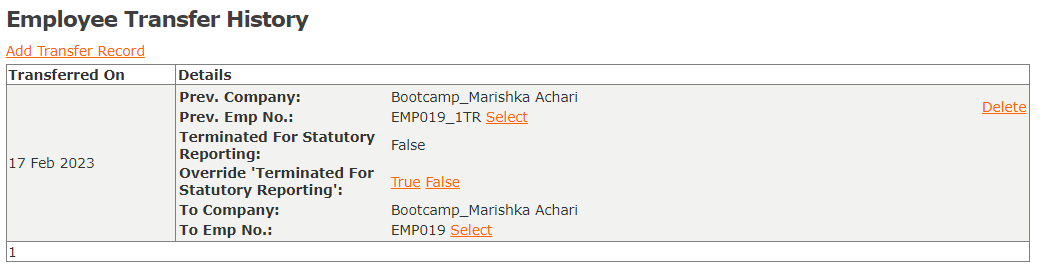
Employees' transfer records can be viewed from their Transfer History screen.
Navigate > On / Off Boarding > Transfer History
Related Articles
Canada | How do I transfer an employee from one frequency to another within the same company?
The transfer process of an employee from one frequency to another within the same company is initiated on the Transfer screen. For instance, if an employee is transferred from a monthly to a fortnightly frequency. Navigate > Employee > On/Off ...Basic Settings | Creating a Workflow Path
Overview The Workflow Configuration Screen allows you to create rules for workflow items to move through a defined number of approval steps. Workflows can be setup for Claims, Commissions, Employee Request and/or Leave. Note! Basic Workflow ...How do I reverse a transfer for an employee who was incorrectly transferred?
To reverse an employee transfer the workflow of the original transfer record for the employee first needs to be completed. After completing the workflow for the employee delete the employee record. Note! If the record cannot be deleted, it is most ...On / Off Boarding | Terminating an Employee
About When an employee needs to be disengaged from the company, a termination may be captured on the employees Tax Profile screen. Edition This feature is available on all PaySpace editions. Navigation Path Navigate > Employee > Basic Information > ...How do I access an employee's leave calendar?
An employee's leave calendar can be accessed on the Calendar screen under the Leave section on their employee profile. The Leave Calendar will display users who are on leave and will group the leave days according to the leave type, i.e., Holiday ...