How do I link an employee to an employment category?

This feature is available on Premier and Master editions
Once Employment Categories have been created on company level, they can be linked to an employee under the Additional section on their Position screen.
Navigate > Employee > Basic Information > Position > Reporting Line > Additional
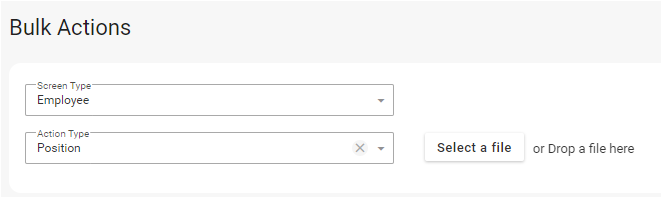
This can be done via the Bulk Actions screen.
Navigate > Bulk Actions

Related Articles
How do I link an employee to an employment category?
This feature is available on Premier and Master editions Once Employment Categories have been created on company level, they can be linked to an employee under the Additional section on their Position screen. Navigate > Employee > Basic Information > ...How do I setup employment categories on company level?
This feature is available on Premier and Master editions An Employment Category would need to be created on company level under the Employment Category section on the Other Dropdowns screen, prior to them being linked on employee profiles. Navigate > ...How do I setup employment categories on company level?
This feature is available on Premier and Master editions An Employment Category would need to be created on company level under the Employment Category section on the Other Dropdowns screen, prior to them being linked on employee profiles. Navigate > ...How do I link an employee to a region?
This feature is available on Premier and Master editions Regions first need to be created on company level before they can be linked to an employee. Step 1: Create Regions on company level. Navigate > Config > Basic Settings > Dropdown Management > ...How do I link an employee to a region?
This feature is available on Premier and Master editions Regions first need to be created on company level before they can be linked to an employee. Step 1: Create Regions on company level. Navigate > Config > Basic Settings > Dropdown Management > ...