How do I delete a payslip?

This feature is available on all Deel Local Payroll powered by payspace payroll editions
There are three ways a payslip can be deleted.
Option 1: Disable the Pay Package Automatically indicator on the Pay Rate Details screen. The payslip for the open run will be removed.
Navigate > Employee > Payroll Processing > Edit Payslip
Navigate > Employee > Payroll Processing > Pay Rate Details

Navigate > Employee > Payroll Processing > Edit Payslip
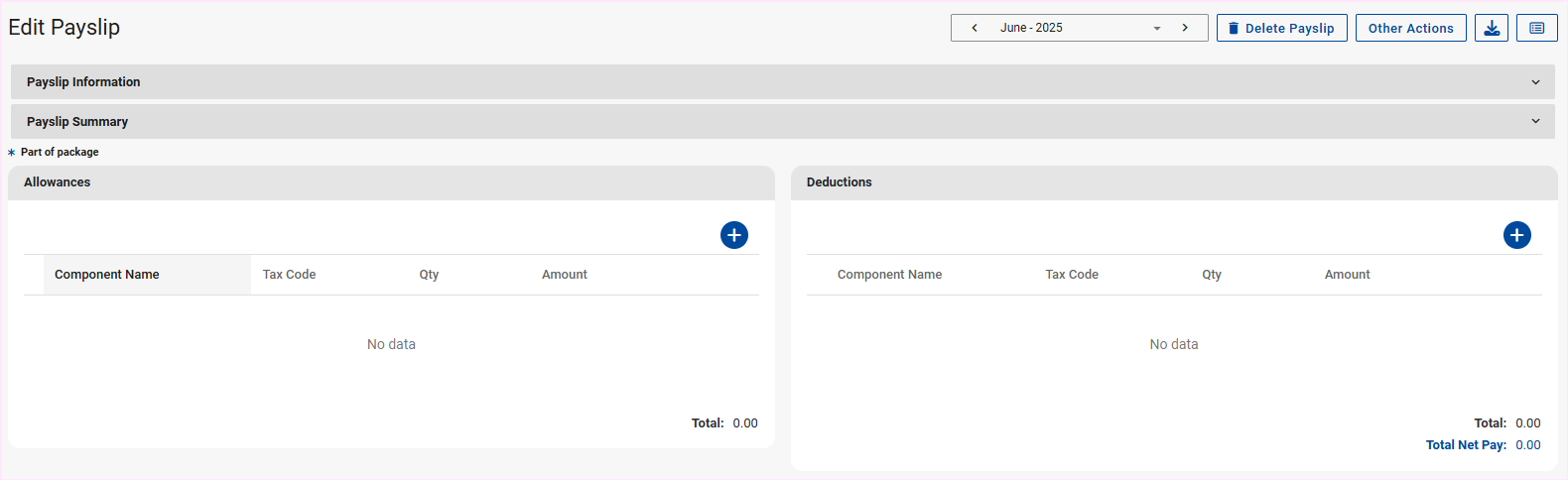
Option 2: Delete the financial data (components) and then select the "Delete Payslip" button on the Edit Payslip screen.
 Important
The delete payslip option will only be available once all components are removed.
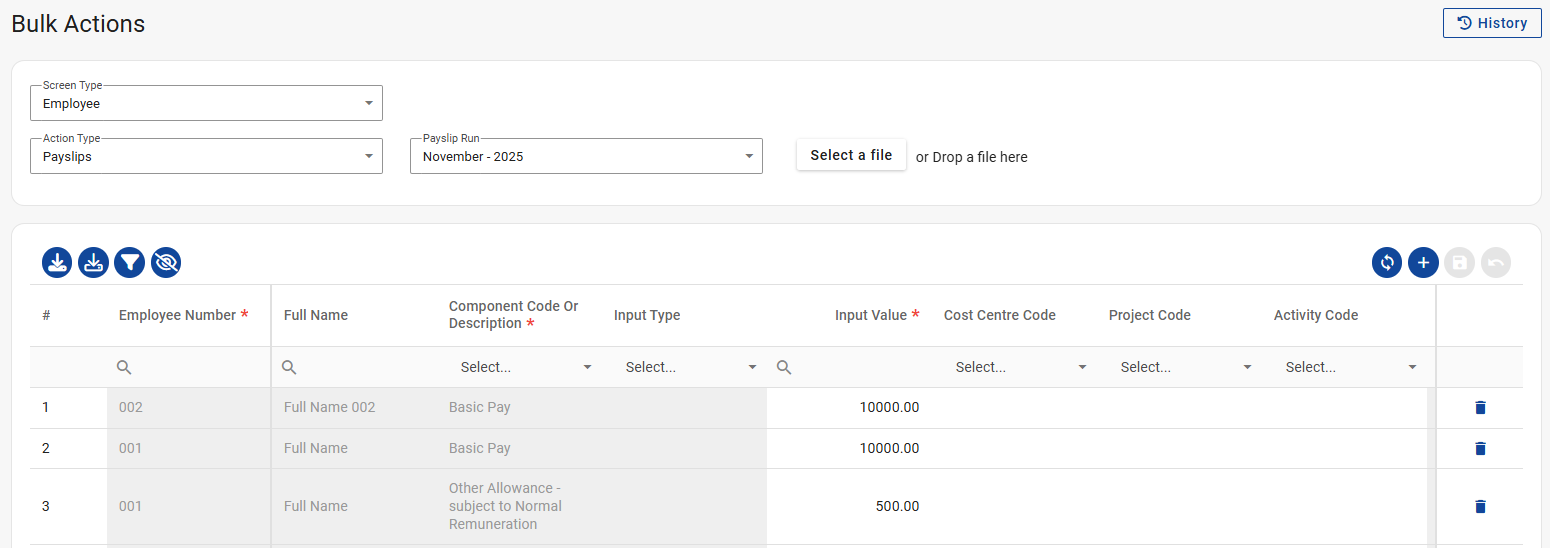
Option 3: Alternatively, delete the financial data (components) via the Bulk Actions screen to clear the payslip using the "Delete" icons and the "Save" icon on the right side of the grid. Then select the "Delete Payslip" button on the Edit Payslip screen.
Navigate > Bulk Actions
Navigate > Employee > Payroll Processing > Edit Payslip
Related Articles
How do I delete a payslip?
This feature is available on all Deel Local Payroll powered by payspace payroll editions There are three ways a payslip can be deleted. Option 1: Disable the Pay Package Automatically indicator on the Pay Rate Details screen. The payslip for the open ...Why am I unable to delete components from the Edit Payslip screen?
This feature is available on all Deel Local Payroll powered by payspace editions If components are added using the Bulk Actions screen, they cannot be removed from the Edit Payslip screen. To delete these components, you’ll need to do so through Bulk ...Why am I unable to delete components from the Edit Payslip screen?
This feature is available on all Deel Local Payroll powered by payspace editions If components are added using the Bulk Actions screen, they cannot be removed from the Edit Payslip screen. To delete these components, you’ll need to do so through Bulk ...How do I add a new Pay Rate record to an employee?
This feature is available on all Deel Local Payroll powered by payspace editions A new Pay Rate record can be added to an Employee on the Pay Rate Details screen or collectively via the Bulk Actions screen. Navigate > Employee > Payroll Processing > ...How do I add a new Pay Rate record to an employee?
This feature is available on all Deel Local Payroll powered by payspace editions A new Pay Rate record can be added to an Employee on the Pay Rate Details screen or collectively via the Bulk Actions screen. Navigate > Employee > Payroll Processing > ...