How do I change an employee's Savings Deduction from one period to another?

This applies to all PaySpace editions
The Savings Deduction component (as with the loan deduction component) stores historical data. Create a new and rename the Savings component, so the balance (savings) starts anew.
Navigate > Config > Payroll > Payroll Config > Payroll Components
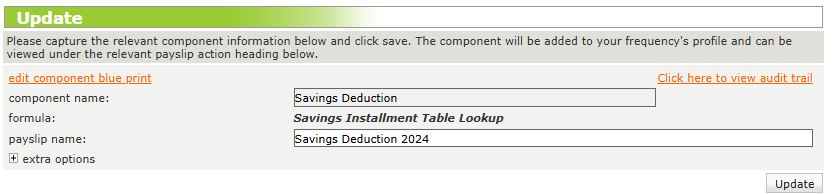
Existing Savings component -
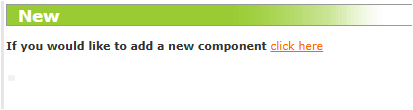
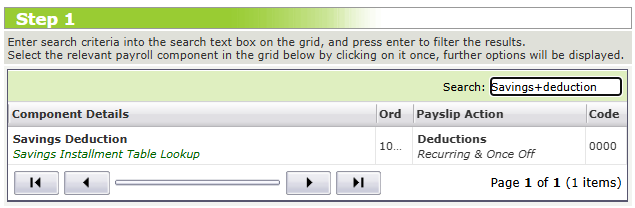
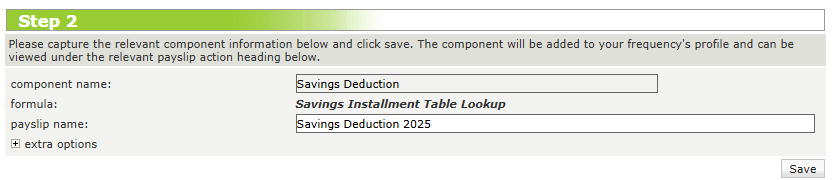
Creating and Renaming the Savings Deduction component for a new period/balance.
Related Articles
Why is the new instalment amount for a savings deduction not updating?
This feature is available on all Deel Local Payroll powered by payspace payroll editions If the new instalment amount is not reflecting, check the affected employee's Recurring Payroll Components screen. The issue is likely caused by an end date that ...How do I configure the Savings Deduction component?
This feature is available on all Deel Local Payroll powered by payspace payroll editions A Savings Deduction component is a predefined deduction component that automatically sets aside a portion of an employee’s salary for savings purposes. This ...How do I increase or decrease an employees Savings Deduction balance?
This feature is available on all PaySpace editions To increase or decrease an employee's Savings Deduction balance amount, simply edit the component on their Recurring Payroll Components screen and update the value in the Increase or decrease balance ...Components | The Payroll Components Screen
Overview The Company Payroll Components screen stores a library of payslip actions a company requires on employee level. This includes automatic components (that will automatically populate/calculate on the Edit Payslip screen every period), and ...How do I configure the Advised Deduction component?
This feature is available on all Deel Local Payroll powered by payspace editions The Advised Deduction component needs to be configured on company level before linking it on employee profiles. Step 1: Search for and create the Advised Deduction ...