Can custom fields be created to record additional employee information?

This feature is available on the Master payroll edition.
A custom field can be created to record any extra information you would like to record on the payroll. Custom fields can be added to multiple screens on the payroll.
Custom Fields allows you to accommodate the creation of additional fields on a variety of screens on the payroll. To add custom fields to a screen, field elements first need to be configured on the Custom Fields Setup Screen.
Navigate > Configuration > Basic Settings > Customs Screens and Fields > Custom Fields
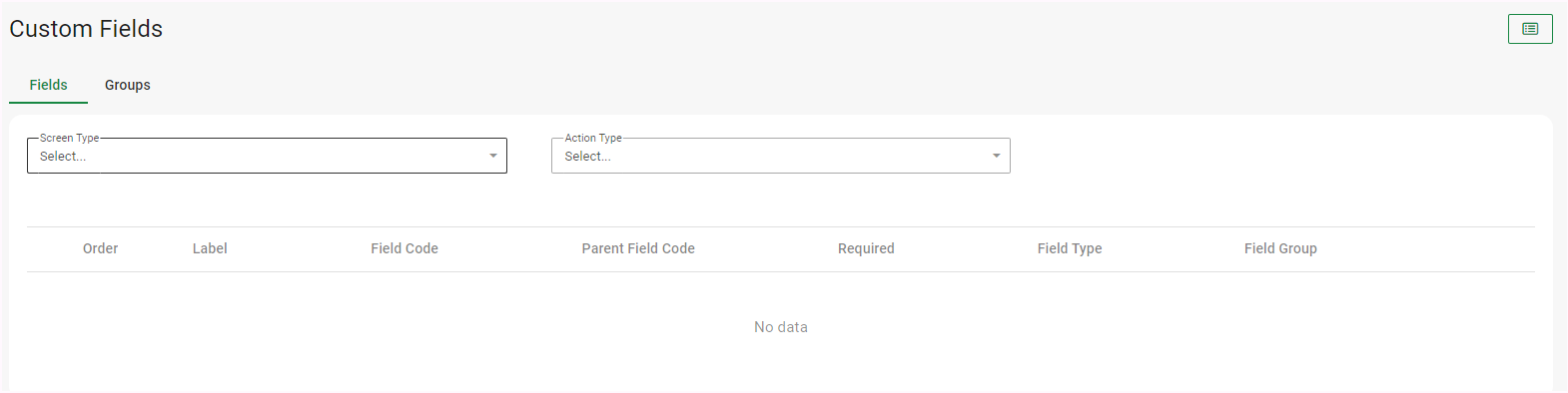
Custom Fields can be added to screens listed in the Form drop-down list.
If Custom Fields are added on Company Level, they will be applied to all frequencies within the company.
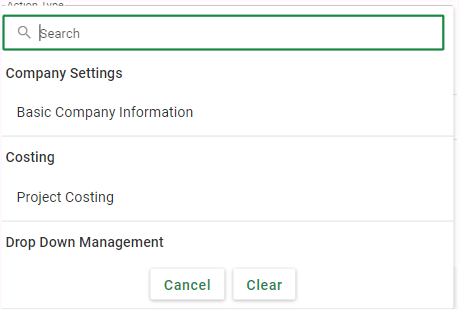
The Custom Fields Setup Screen: Before
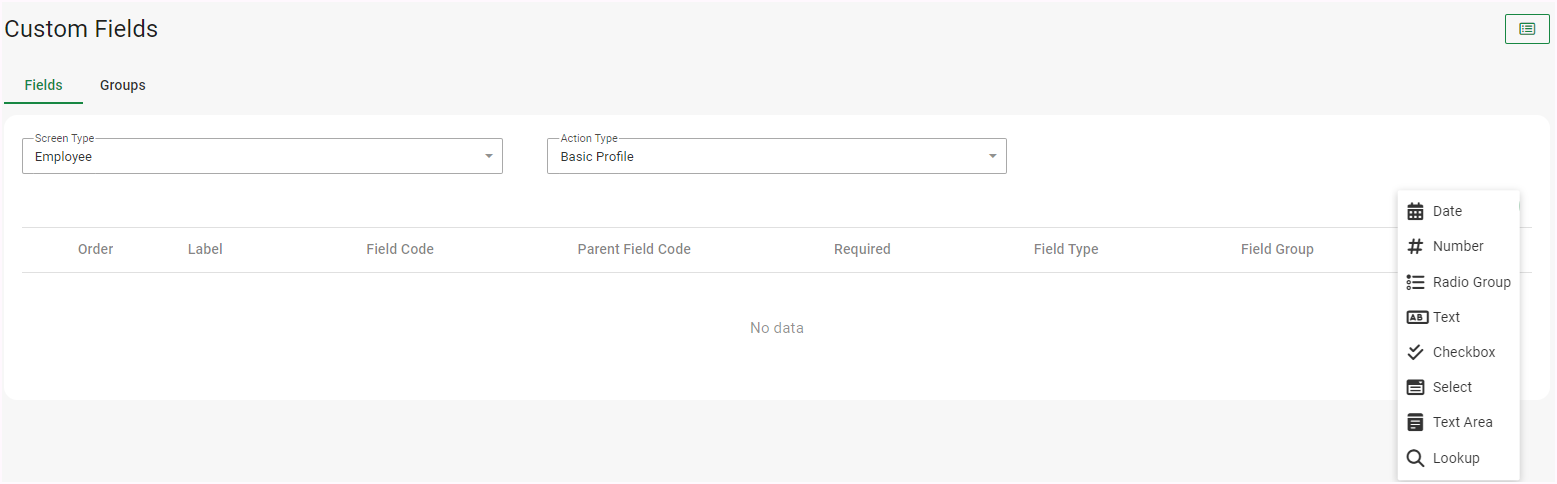
The Custom Fields Setup Screen: During
Once the Custom Fields are saved, they will display in the Saved Custom Fields grid.
The Custom Fields will now be visible on the selected screen.
Navigate > Employee > Basic Information > Basic Profile > Employee Details

Note!
Custom Field Elements can be deleted regardless of whether or not information has already been processed for that particular field.
If information has been processed for the field that you want to delete, you will receive a pop-up notification to confirm the deletion of the field.
Related Articles
Basic Settings | Custom Form Configuration and Custom Fields Setup
Overview Custom Screens and Fields allows you to create customised forms on company and employee level; and add additional custom fields on various existing screens on PaySpace. These customised forms and fields can be used to record extra ...Can a custom field be created on the Leave Application screen?
This feature is available on the Master payroll edition. Yes. Custom fields can be created on the Leave Application screen. Navigate > Configuration > Basic Settings > Customs Screens & Fields > Custom Fields Navigate > Employee > Leave > Application ...Can a custom field be created on the Leave Setup screen?
This feature is available on the Master payroll edition Yes. Custom fields can be created on the Leave Setup screen. Navigate > Configuration > Basic Settings > Customs Screens & Fields > Custom Fields Related FAQ Can custom fields be created to ...Can custom fields be created on the Project screens?
This feature is available on the Master payroll edition. Yes. Custom fields can be created on the Project screens (company and employee levels). Navigate > Configuration > Basic Settings > Custom Screens & Fields > Custom Fields Company level ...How do I configure the system to create custom screens on employee level?
This feature is available on the Master payroll edition. A custom form can be created on 3 of the employees screens: The Basic Profile screen The Custom Forms screen The Tax Profile screen Navigate > Configuration > Basic Settings > Custom Screens & ...